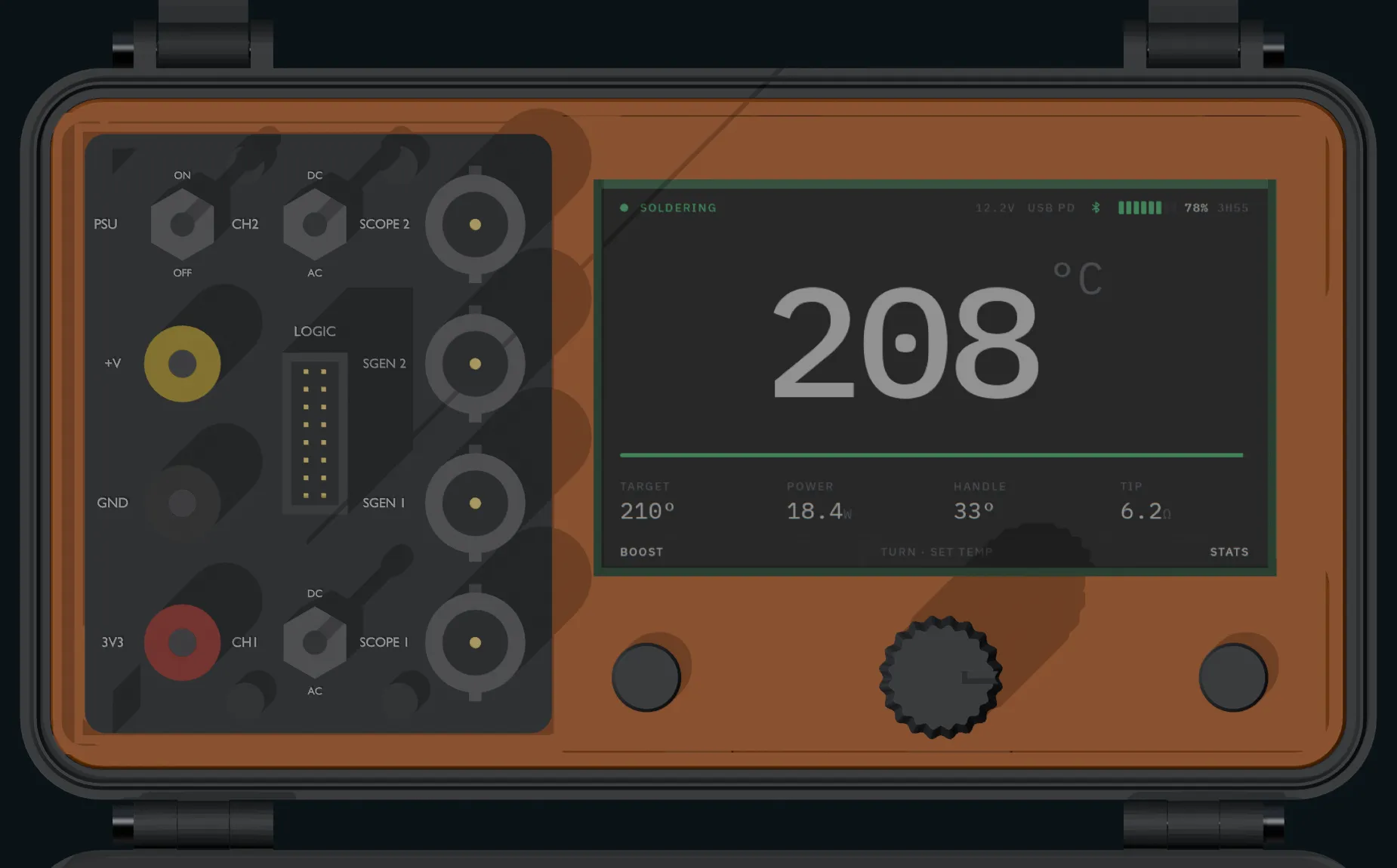
the interface
The screen, and the thing around it
A 4.3 inch panel with an encoder and two softkeys is not a phone. There is one knob, two buttons and no keyboard, so every state has to say what it is, what the knob does and what each softkey does, without a menu to hide in.
the nine states
Each one answers the same three questions
What is the iron doing, what will the knob change, and what are the two softkeys for. Rendered at 800 by 480, which is the panel's native resolution, so what is below is pixel for pixel what the glass shows.
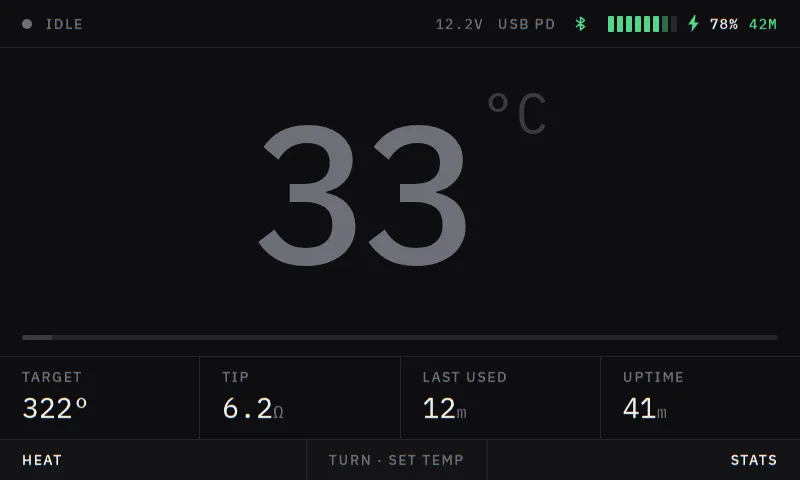
Idle
Cold and waiting. Target, tip resistance, when it was last used, uptime. The left softkey heats.
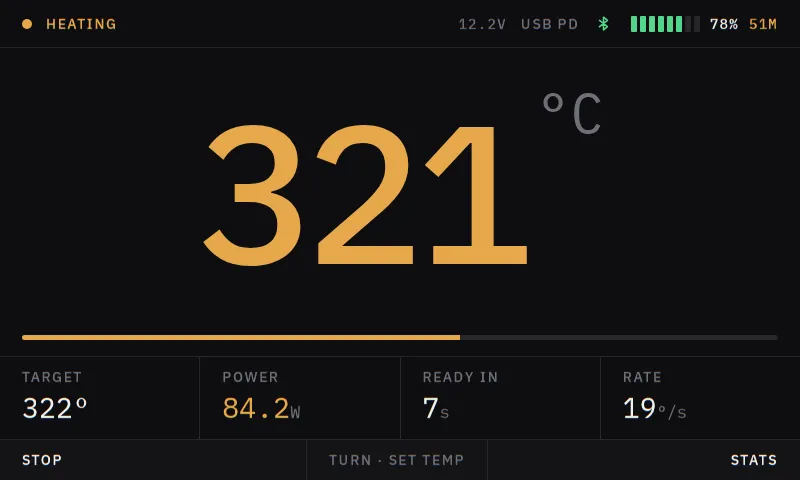
Heating
On the way up: 321 of 322 at 84.2 W, ready in seven seconds, climbing at 19 degrees a second.
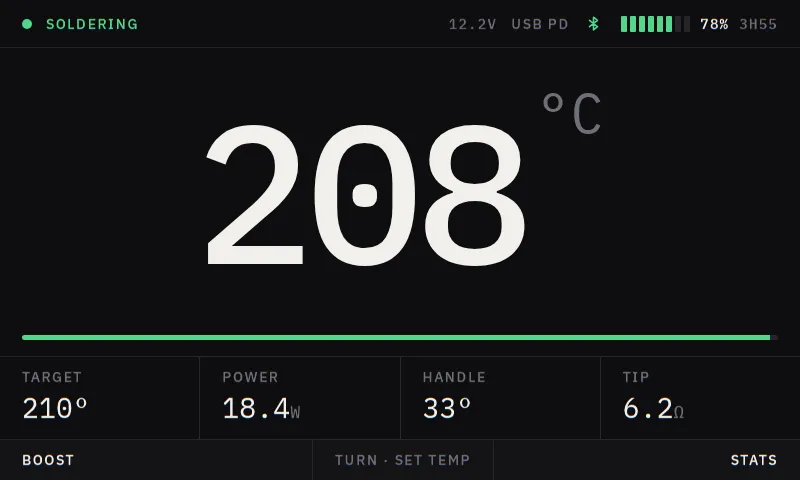
Soldering
At temperature. The number that matters is enormous and everything else is a row of small readouts under it: target, power, handle temperature, tip resistance.
Setting the target
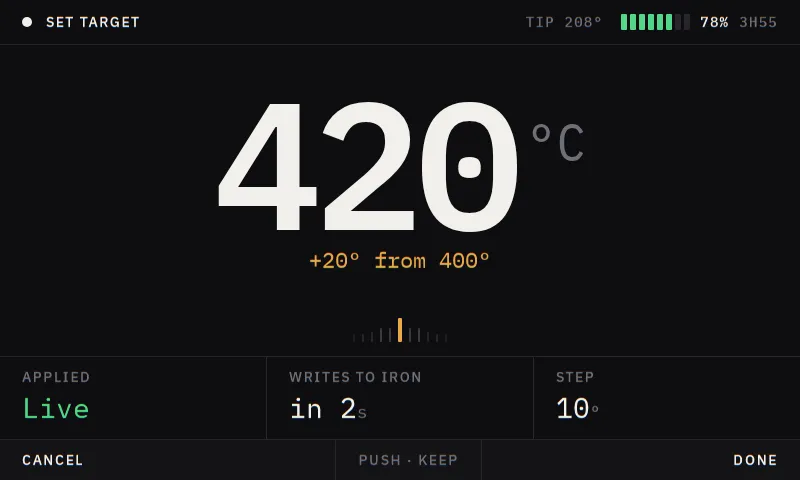
Turning the knob. 420, twenty degrees up from 400, and a two second grace period before anything is written to the iron.
Asleep
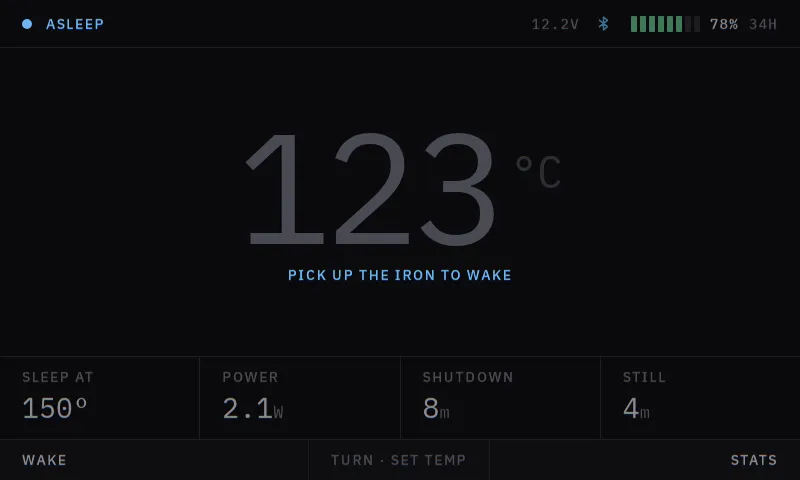
Dropped to the sleep temperature after four minutes still. It says what will wake it and how long until it shuts down.
No link
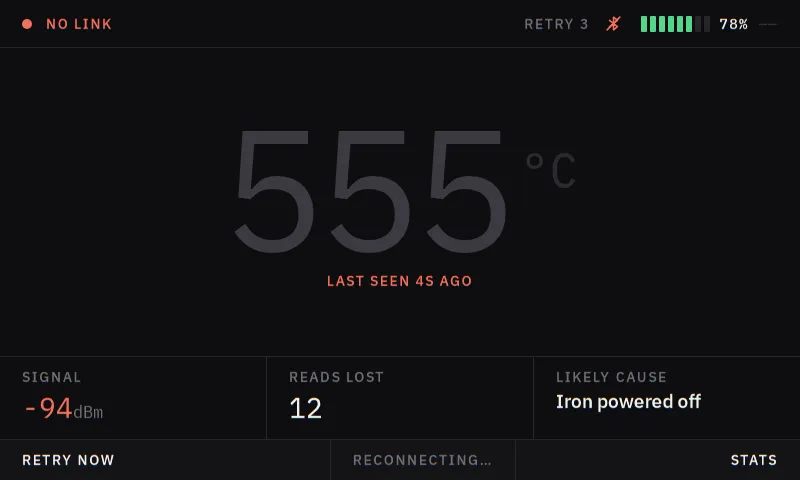
The link to the iron is down. Last seen, signal strength, reads lost, and a guess at the cause, instead of a spinner.
Settings
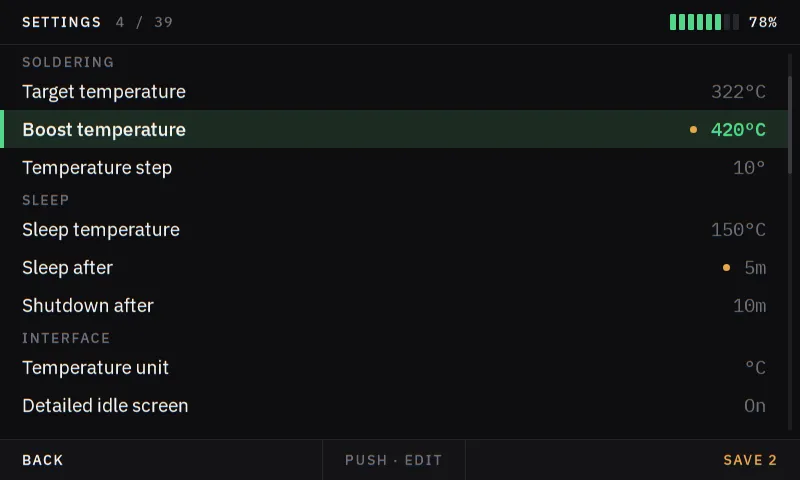
Thirty-nine settings, grouped and numbered, with a count of unsaved changes sitting on the right softkey.
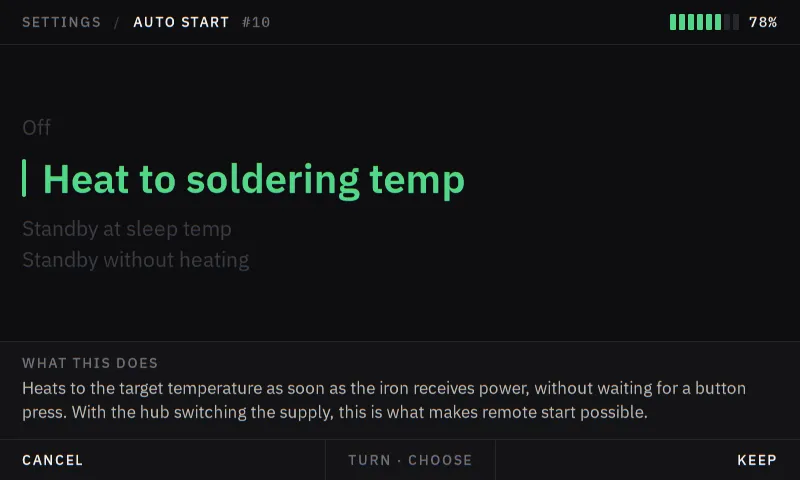
Editing a setting
One setting, with a plain-language explanation of what it actually does. That is the part most firmware menus leave out.
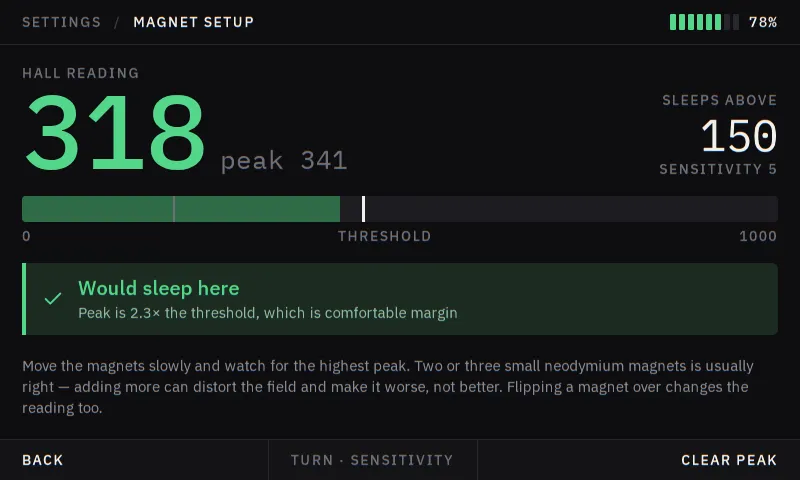
Magnet setup
Tuning the sleep magnet against the live hall reading, with the threshold marked and the peak held so you can find it by moving slowly.
one set of artwork
The same files light the 3D model
Those nine PNGs are not screenshots taken for this page. They are the texture mapped onto the lid display in every 3D render on this site, which is why the hero reads 208 degrees C in the same typeface with the same row of readouts under it. Change a screen, re-run the screen renderer, re-run the model renderer, and the pictures of the device agree with the pictures of the interface because they are the same artwork.
The mockup above goes further than the stills can: it carries a small simulation, so the tip heats at a rate, the joint pulls heat out of it when you touch one, and the hall reading changes as the magnet moves. That is the part worth poking at.
The soldering screen reads 208 because that is the area code for Idaho, which is where this was drawn. It is a reasonable tip temperature as well, which is the only reason it survived.